Every Bonsai Pilot feature, in detail
From the first watering to years of progression, what the app already does for you and your trees.
01DASHBOARD
Always know what to do next
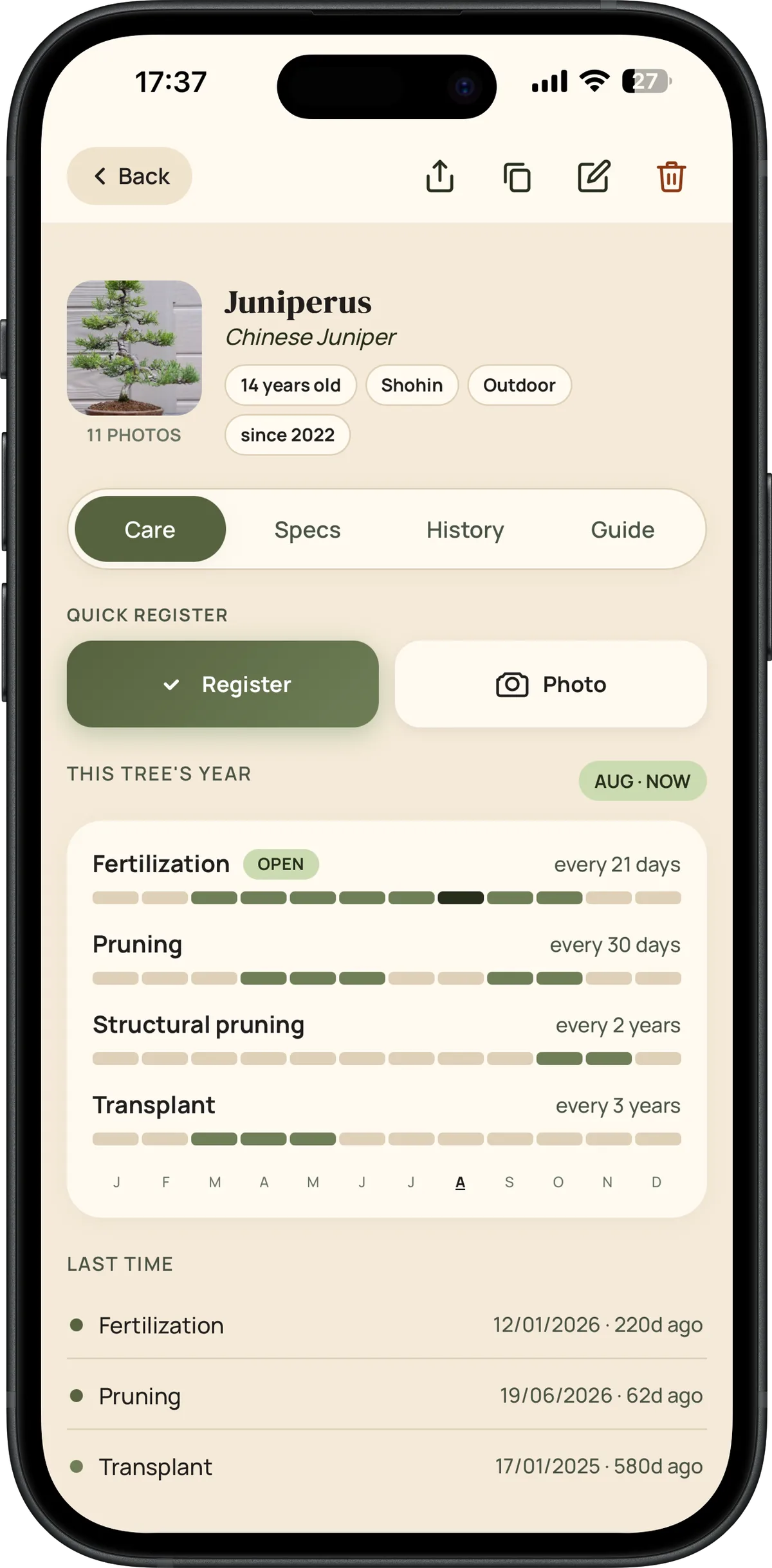
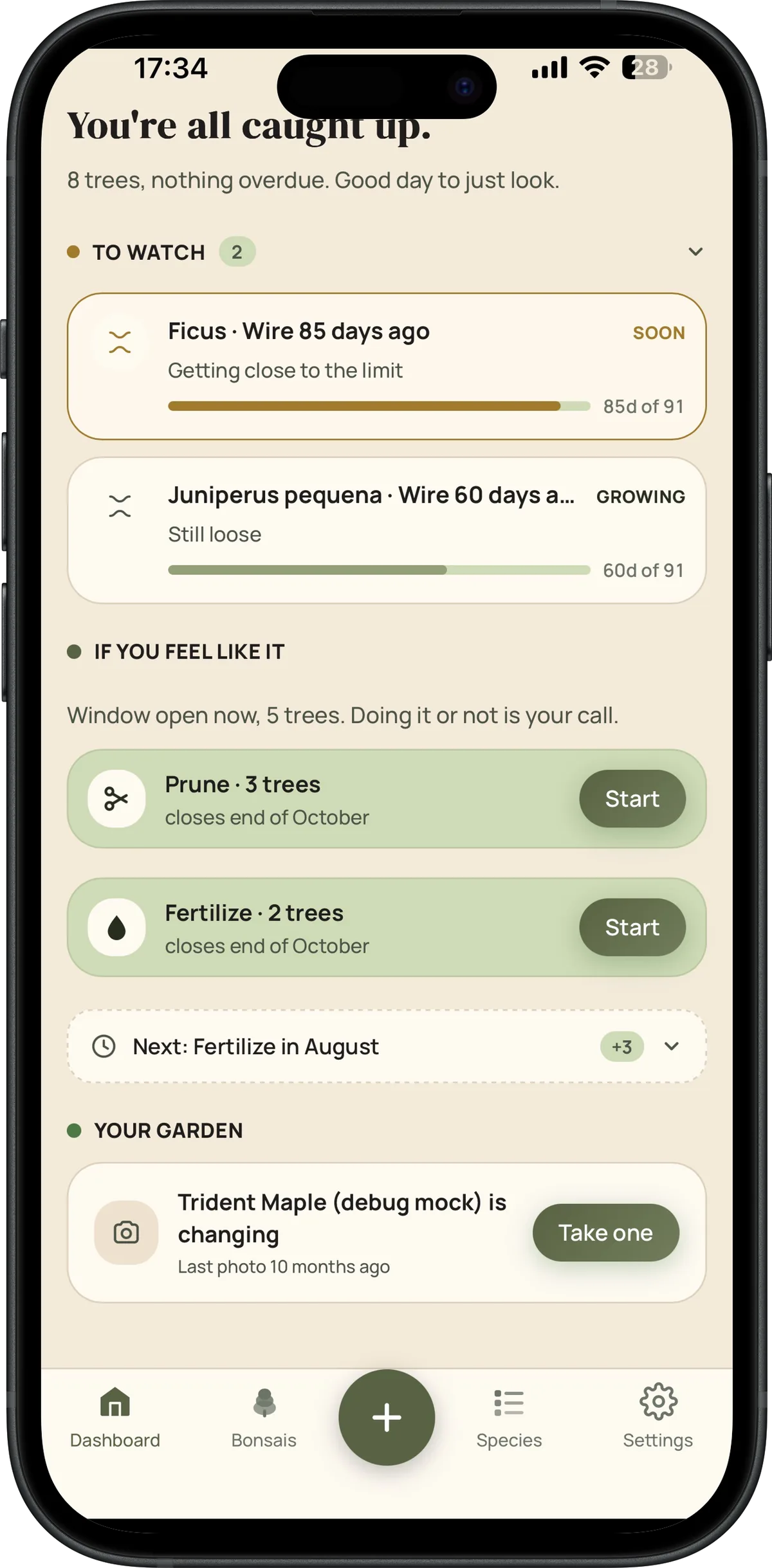
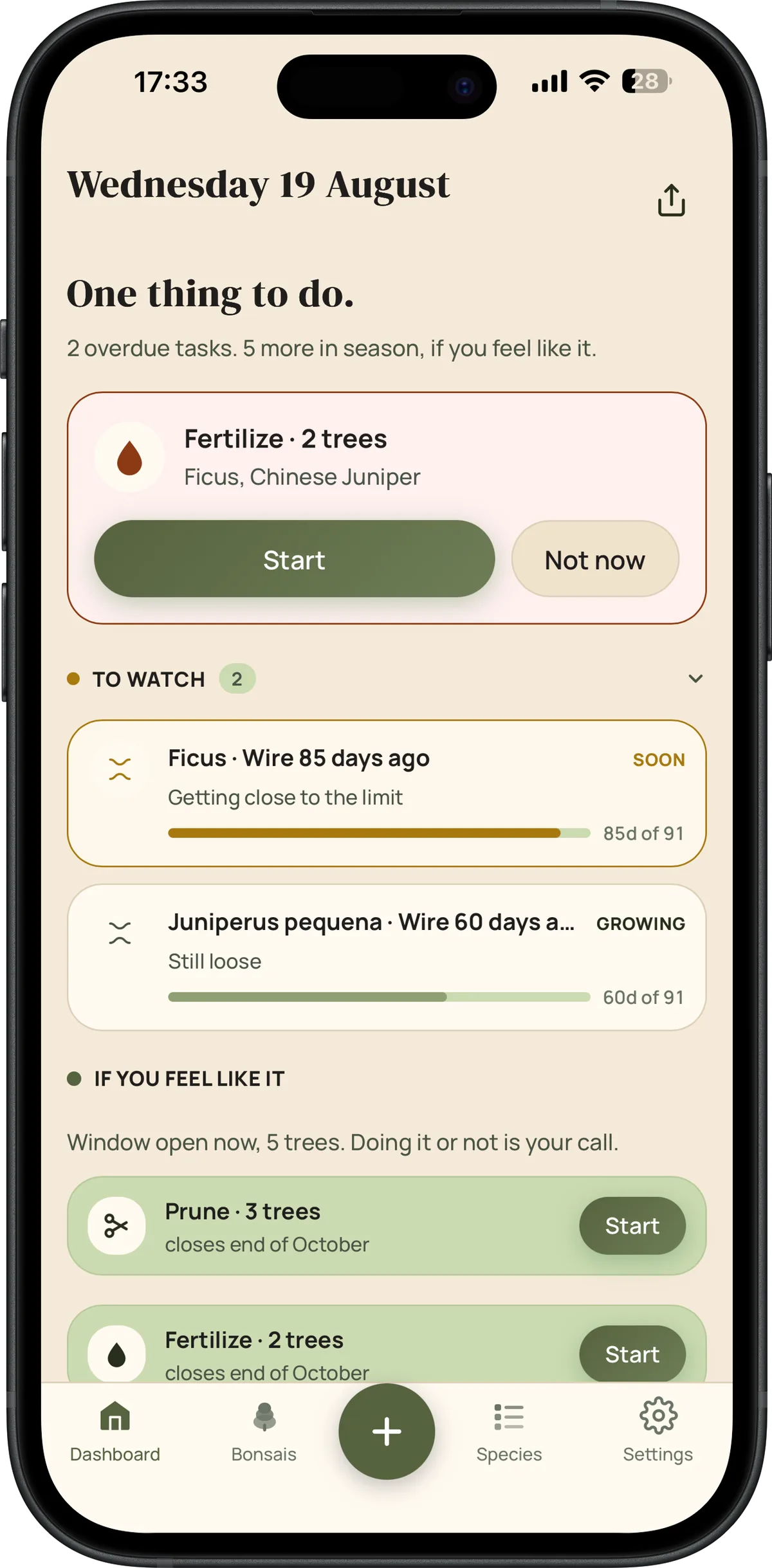
Your dashboard cross-references each species' profile with your actual care history to tell you, every day, what genuinely needs attention.
- Automatic priority queue, most overdue trees first
- "Wire watch", configurable alert before wire scars the bark
- "Year ahead", every seasonal window for every tree, at a glance
- Weather bar with contextual watering suggestions
- Quick actions, log care or take a photo in two taps
02PHOTOS
Watch the tree grow, don't just read about it
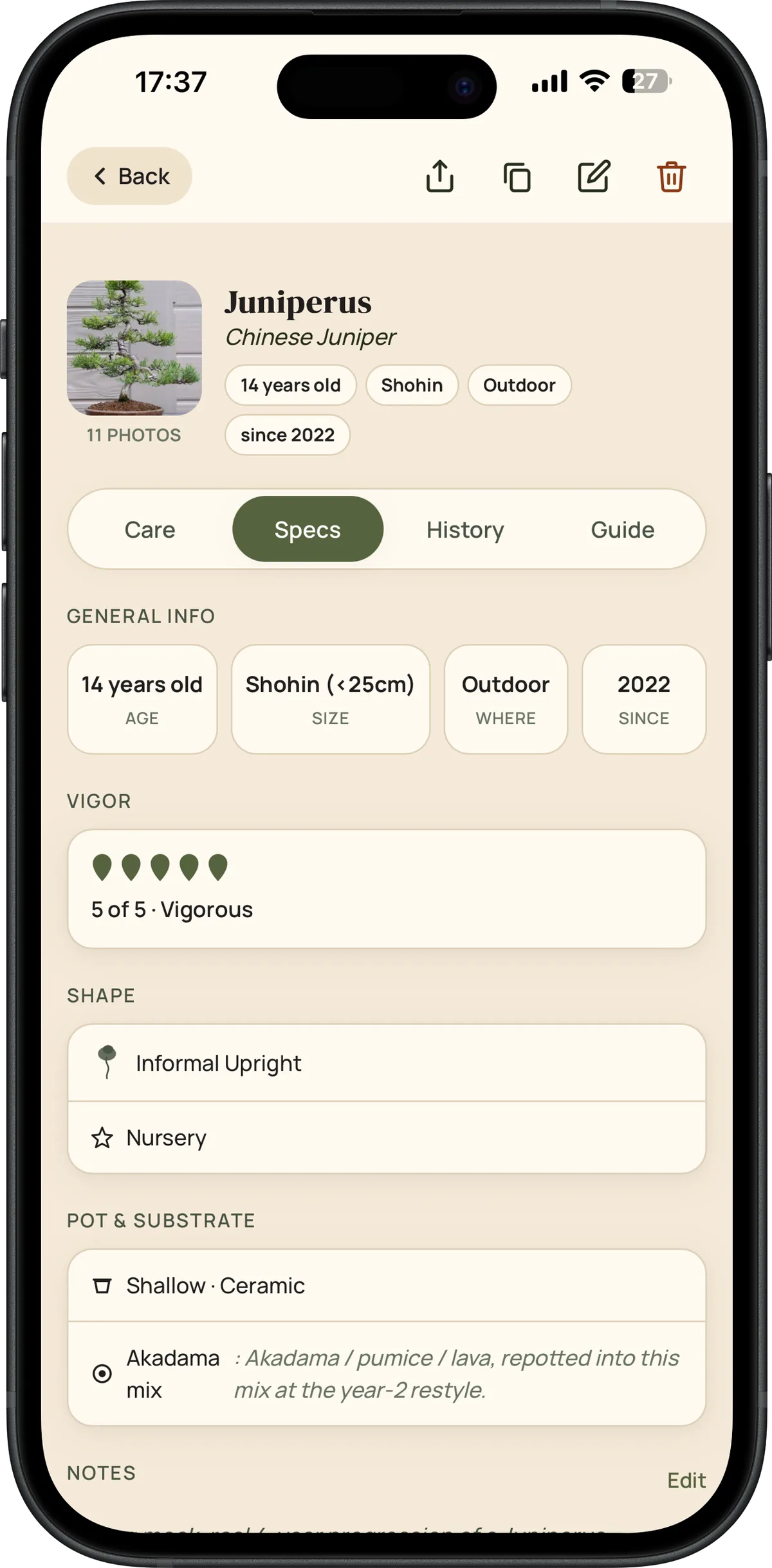
Every tree keeps a full photo progression, browsable three different ways.
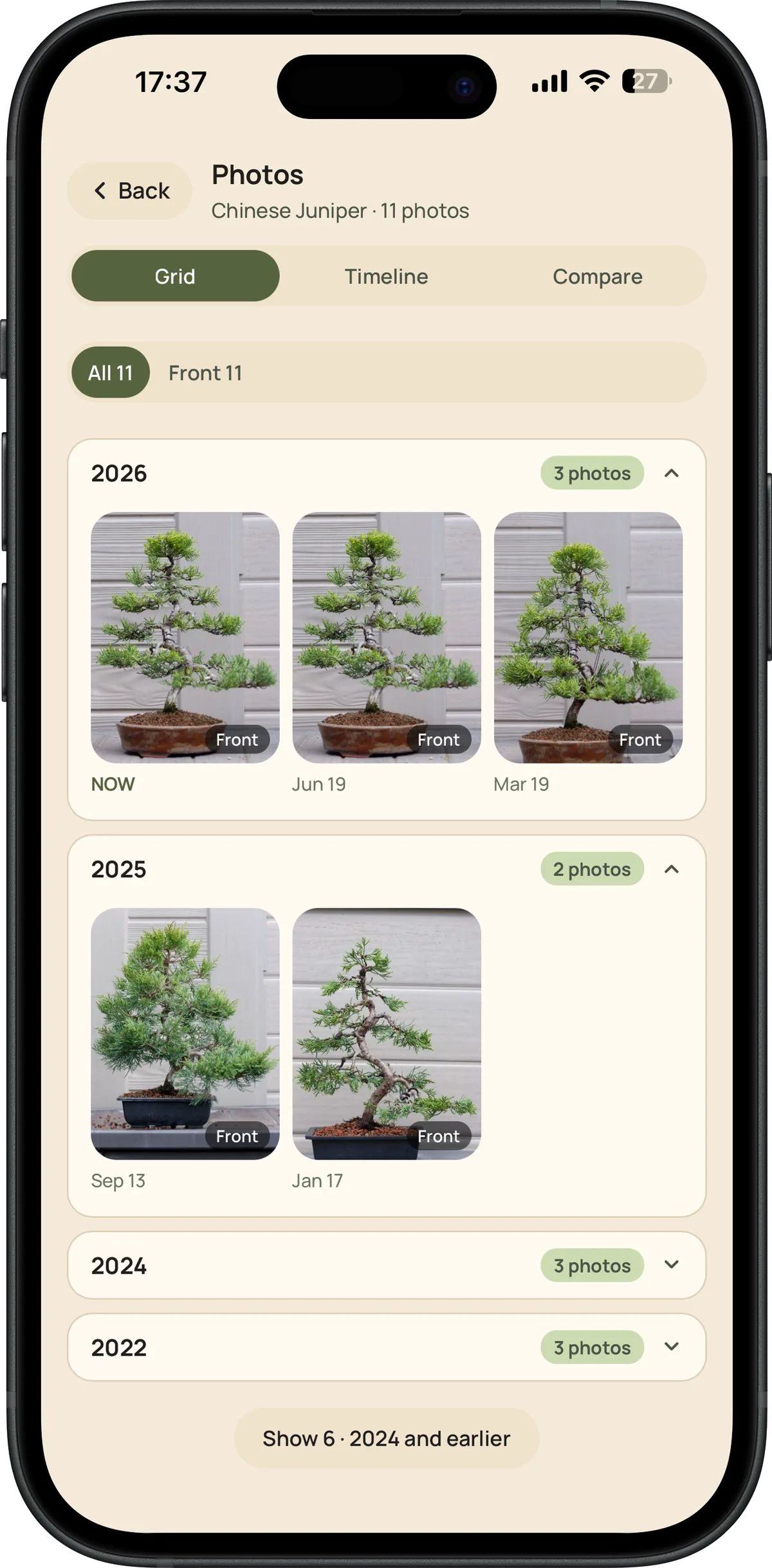
- Grid grouped by year, with an angle filter (front/left/right/back)
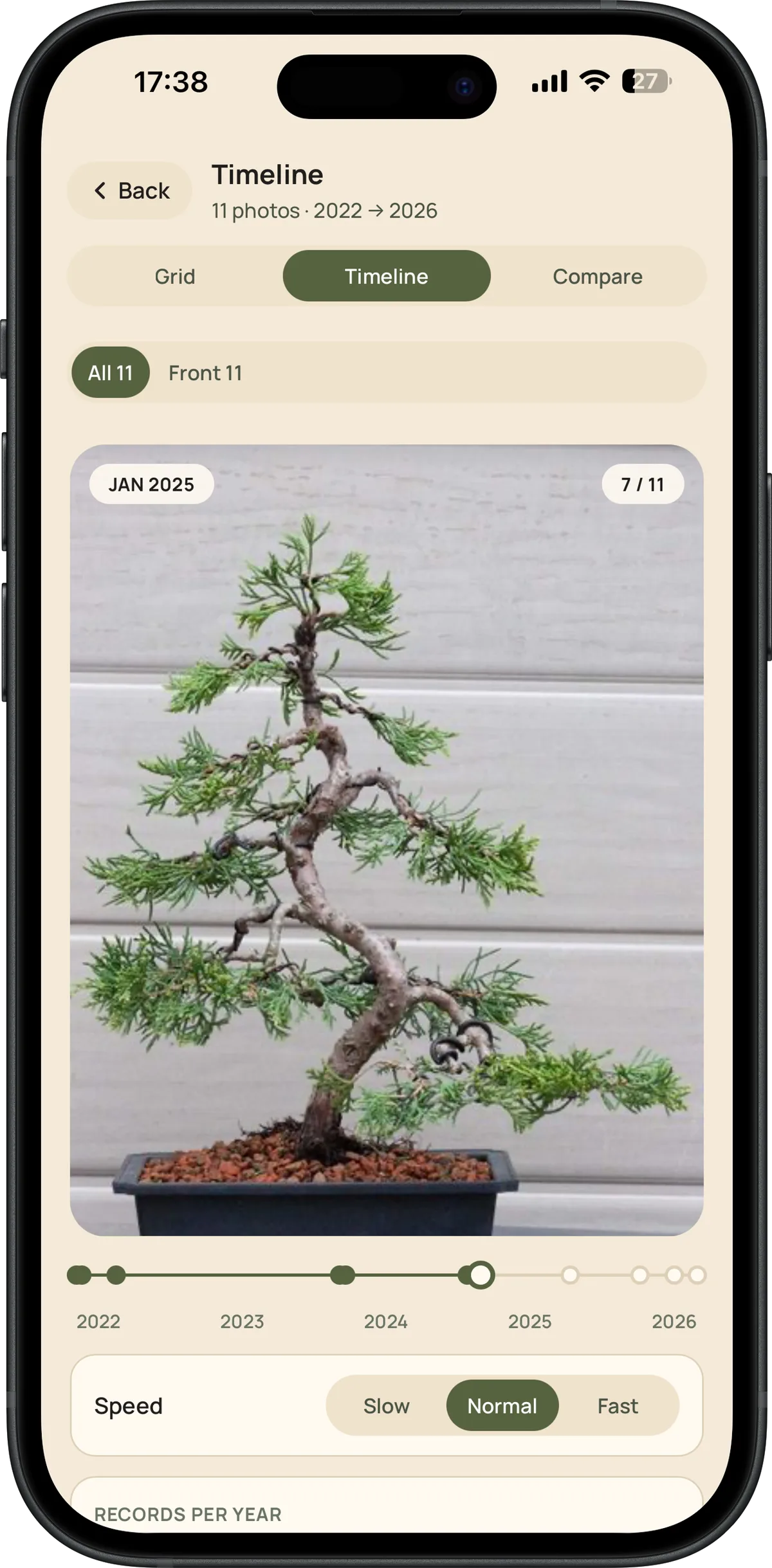
- Animated timeline, plays the progression back like a time-lapse, with adjustable speed
- Records-per-year chart, so you can see where photos are missing
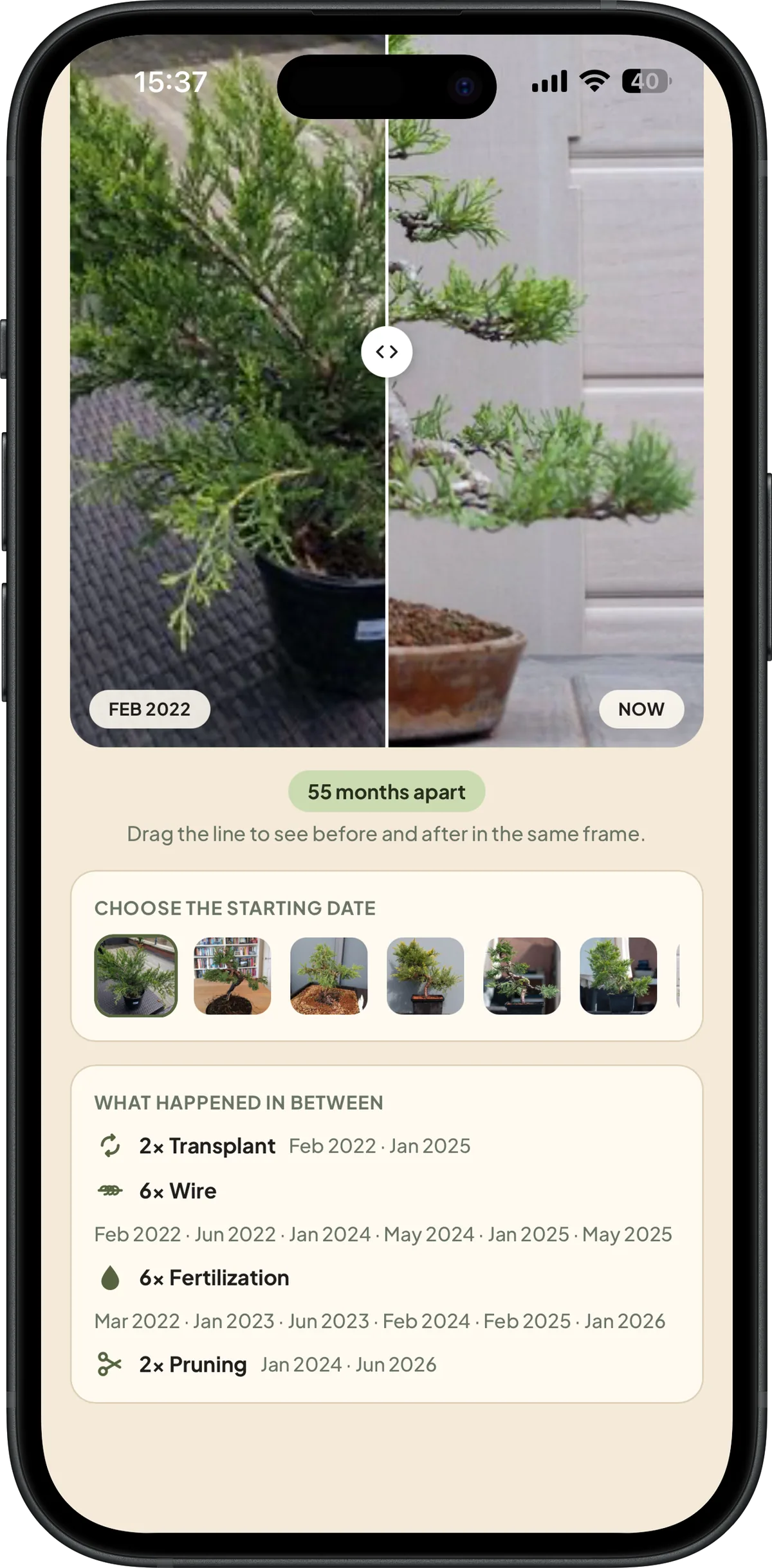
- Compare, overlay two dates with a drag slider, see the care that happened in between
- Photos in Firebase Storage, synced across every device
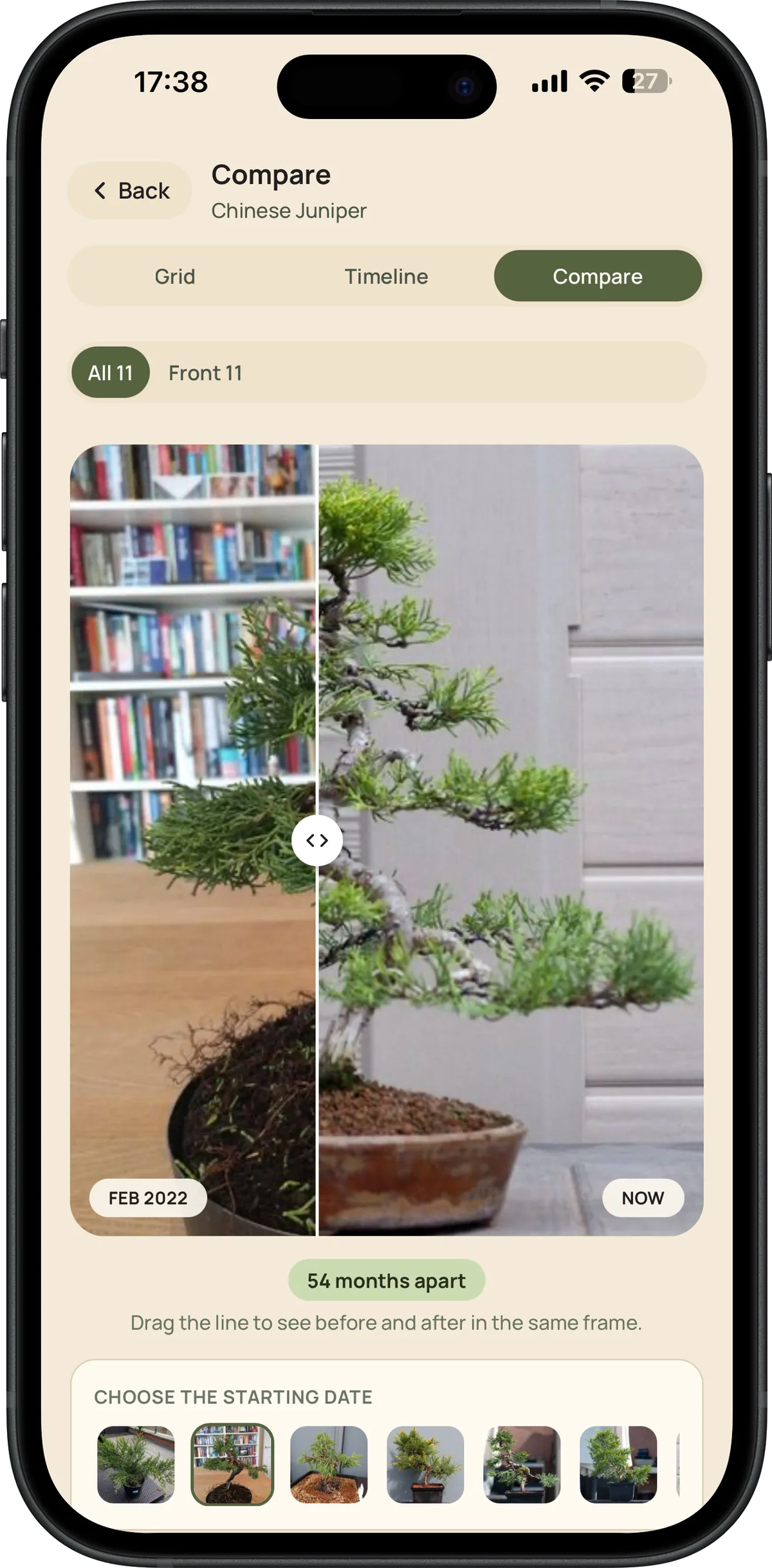
The density chart and the Compare screen's between-dates summary, up close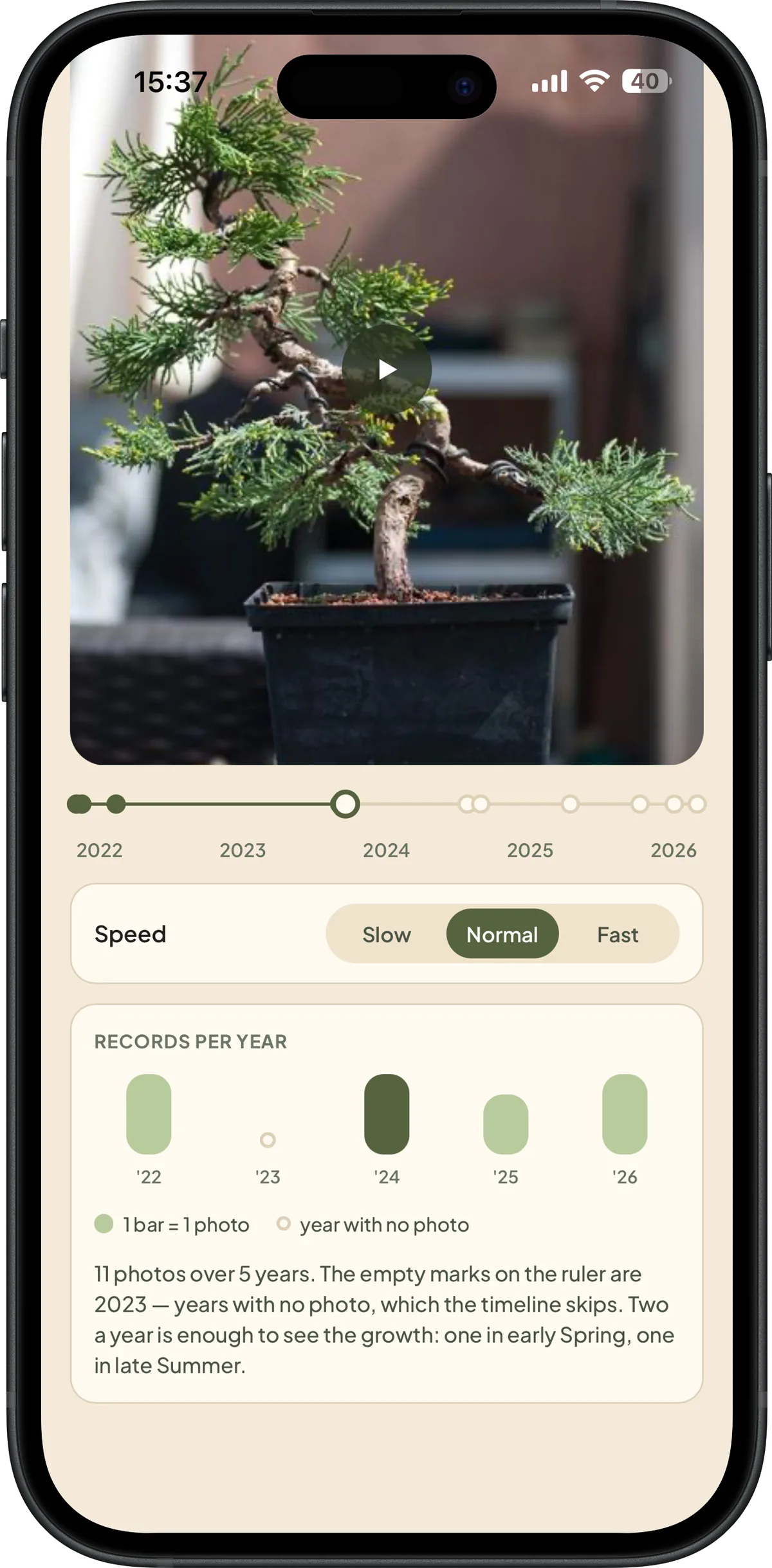
03SPECIES
200+ species with care guides ready to go
A library curated from established bonsai literature, with per-species data that feeds every recommendation the app makes.
- USDA hardiness zones per species, with automatic hemisphere detection
- Fertilization, pruning, structural pruning and repotting intervals specific to each species
- Create your own custom species with the same level of detail
- Full care guides, also accessible outside the app
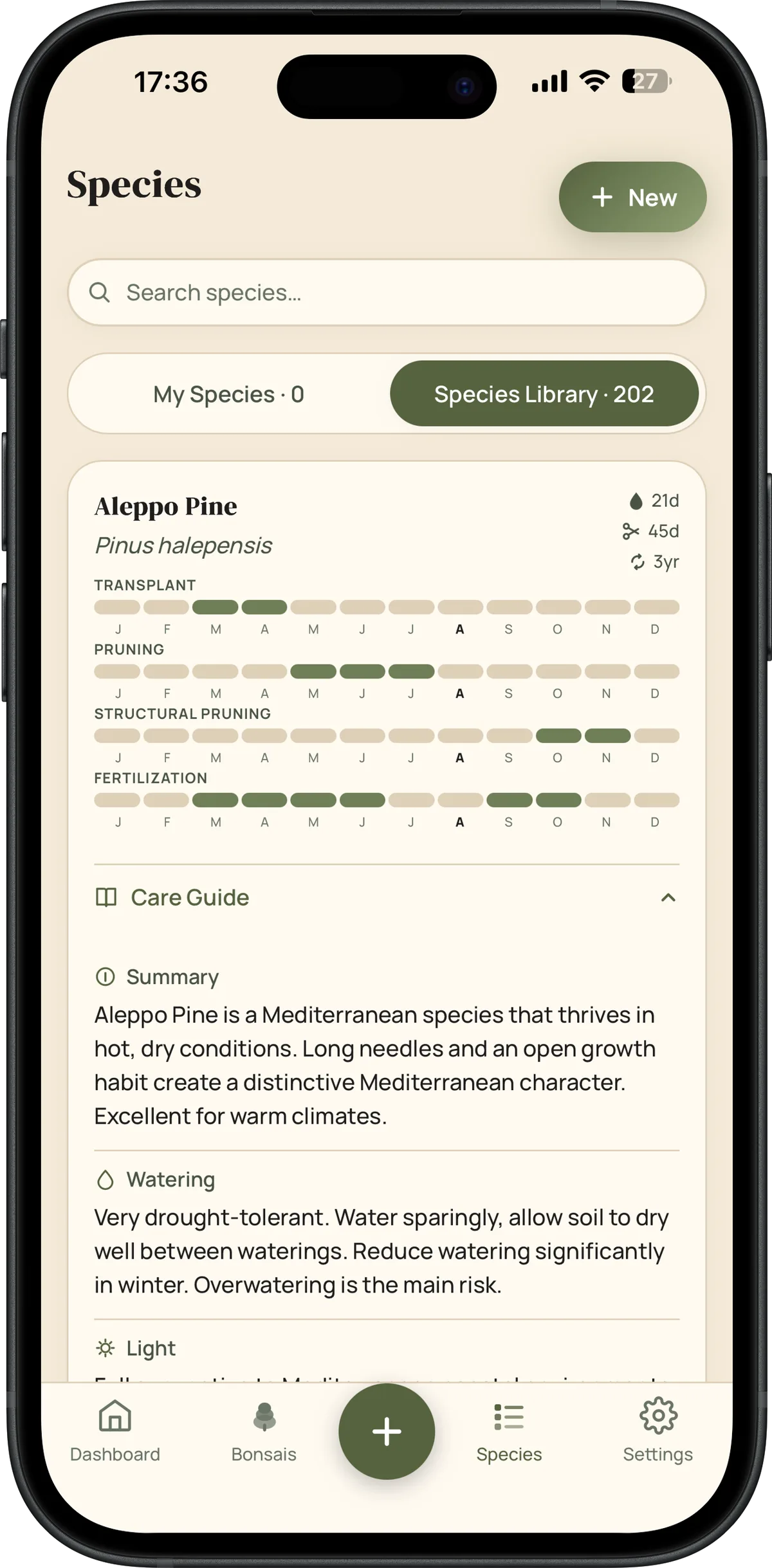
The care guide and the specs sheet for each tree, right inside the app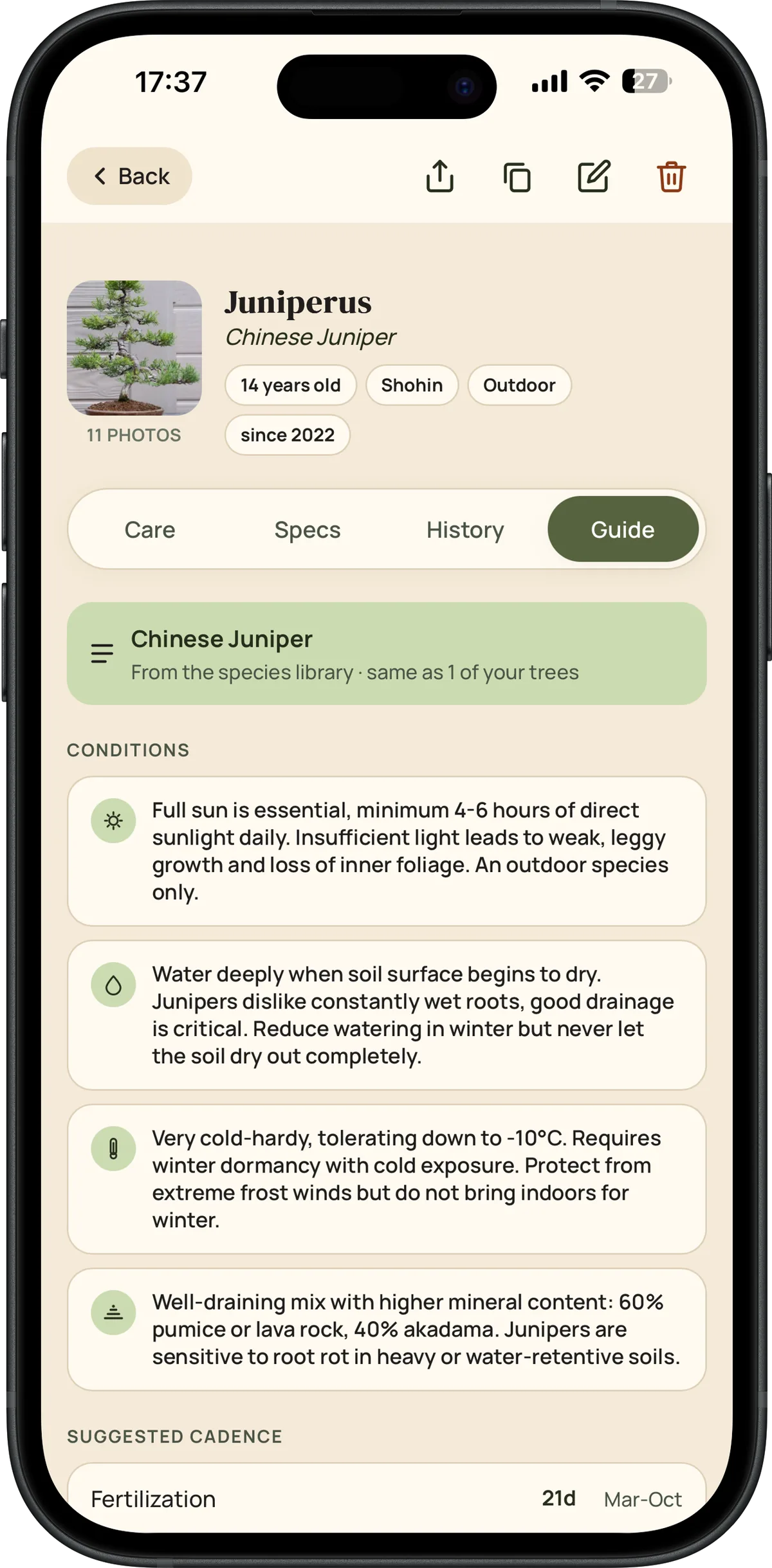
04CARE
Six log types, each with the right detail
Not just a list of dates, every care type keeps the information that actually matters later.
Watering
- Quantity (light/full/soaking) alongside the date
- Contextual suggestions based on current weather
- Feeds the cadence shown on the photo density chart
Pruning
- Clear distinction between maintenance and structural pruning
- Separate seasonal windows for each type, per species
- Distinct icons (scissors vs saw) so you recognize the type at a glance
Wire
- Apply and remove logged as separate actions
- Configurable alert (14-365 days) before wire scars the bark
- Dedicated dashboard list so you never forget wire you applied
Fertilization
- Form (liquid/solid) and nature (organic/synthetic)
- Optional NPK, for anyone who likes precision
- Per-species seasonal window, with an alert when it's overdue
Repotting
- Recommended interval per species (typically 1-3 years)
- Substrate and pot size saved per tree
- Last repot date independent of the acquisition date
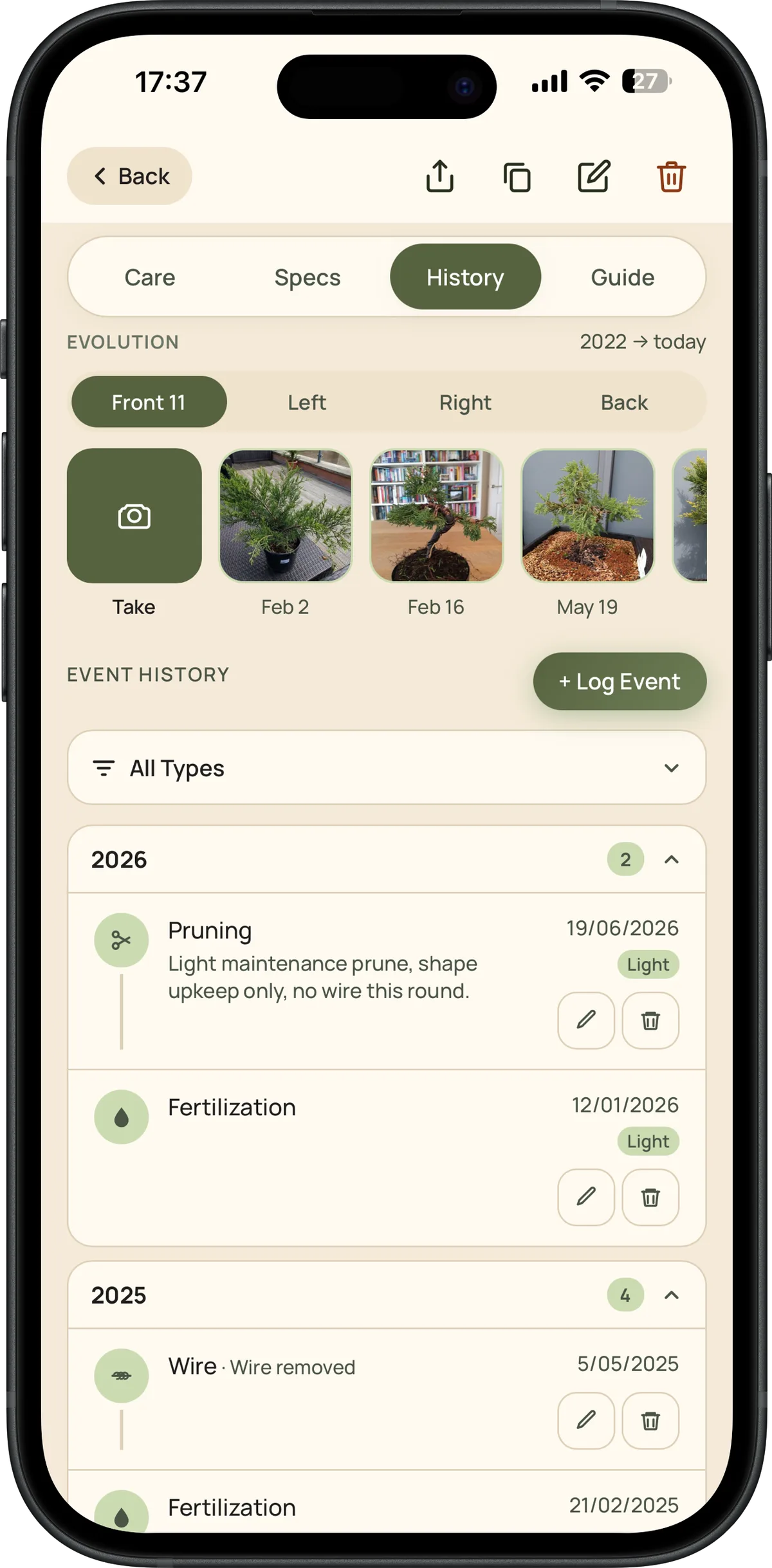 The full history, grouped by year, with notes and intensity for every action
HOW IT ADAPTS TO YOU
USDA zoneDetected by geolocation
HemisphereNorth and South seasons
UnitsCelsius or Fahrenheit
LanguagesPT · PT-BR · EN · ES
05SYNC & EXPORT
On every device, and never locked in
SYNC
- Automatic sync via Firestore, with a retry queue if the network fails
- Photos in Firebase Storage, no practical size limit per tree
- Works offline, data syncs back the moment you're online
- Installable as an app (PWA), home screen icon, no app store
EXPORT
- Complete, free export: multi-sheet Excel + every photo as a real file, in one .zip
- Encrypted backup (.bonsaipilot) with AES-GCM
- Simple import to restore everything on a new device
06SHARING
Show your progress, effortlessly
Ready-to-post cards, generated from your real data.
- Per-tree card, photo, stats, and time in care
- Monthly card, a summary of the month's activity
- Milestone cards, first repot, flowering, first styling
PLANS
Free vs Pro
FreePro
TreesUp to 3Unlimited
Custom speciesUp to 3Unlimited
Photo timelineCurrent photo onlyFull progression
Excel + photo exportIncludedIncluded
Encrypted backupIncludedIncluded
Multi-device syncIncludedIncluded
Try all of this
Start free, no credit card. Go Pro whenever you want more.
Start tracking, free